Diploma in GIS & Remote Sensing - Information, Fee, Syllabus.
Job Oriented Course
Offline
Online
Duration: 6 months
Diploma in GIS & Remote Sensing Information
Course Title: Diploma in GIS and Remote Sensing
Duration: 6 months
Training Modes: Offline/ Online/ Hybrid | Full-time/ Part-time
Timing: 4 days a week, 3 hours a day
Diploma in GIS & Remote Sensing Eligibility
- Graduate or above from any stream
- Diploma from any branch
- ITI from any trade
- 1+ year experience in related field
- Must have knowledge of computers
Diploma in GIS & Remote Sensing Target Job Roles
GIS Technician
GIS Operator
GIS Surveyor
GIS Executive
GIS Analyst
Remote Sensing Executive
Career Opportunities and Scope
is in the field of Urban Planning, Land Records, Utilities, Environment.
Diploma in GIS & Remote Sensing Overview
Diploma in GIS and Remote Sensing course is uniquely designed, consist of various modules with project. Covers all required skills for industry for various sectors including most demanding one – agriculture. Emphasis more on industry required skills hence strengthen job assurance. Thus multi-skill man power has higher preference for job.
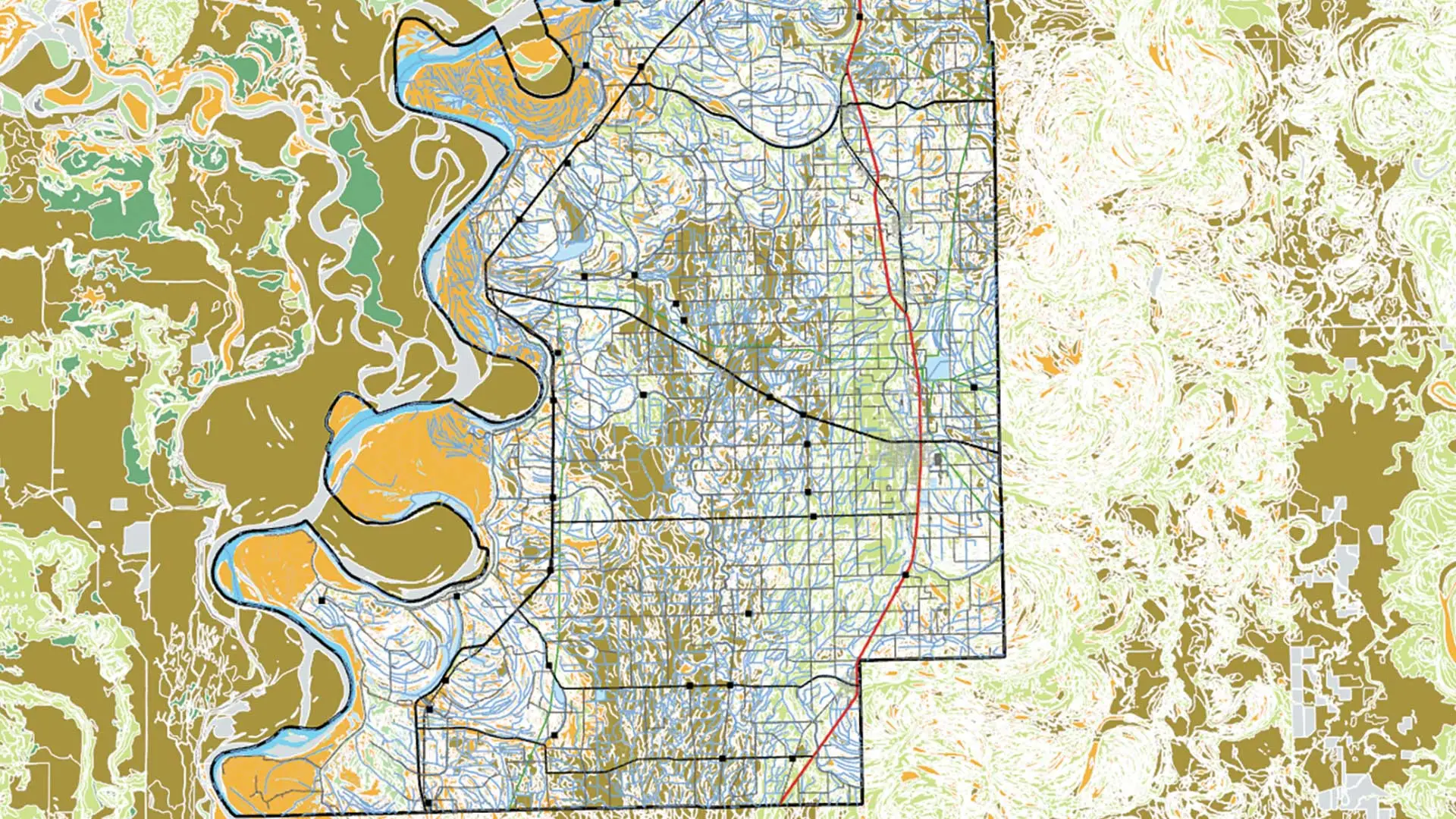
A geographic information system (GIS) provides the ability to capture and analyze spatial and geographic data. GIS applications (or GIS apps) are computer-based tools that allow the user to create interactive queries (user-created searches), store and edit spatial and non-spatial data, analyze spatial information output, and visually share the results of these operations by presenting them as maps. You will learn how GIS utilized in various operations and numerous applications that relate to: engineering, planning, management, transport/logistics, and insurance, telecommunications, business, and location intelligence applications with GPS/GNSS.
Remote sensing is the acquisition of information about an object or phenomenon without making physical contact with the object and thus in contrast to on-site observation, especially the Earth. Remote sensing is used in numerous fields, including geography, land surveying and most Earth science disciplines (for example, hydrology, ecology, meteorology, oceanography, glaciology, geology); it also has military, intelligence, commercial, economic, planning, and humanitarian applications. Course will teach you from fundamentals of Remote Sensing, pre and post processing, data sources, image classification, different indices and their interpretations.
Modules covered in Diploma in GIS & Remote Sensing
- Understand the technical language of GIS
- Understand the data display and cartographical methods
- Understand the open source and propriety GIS software vendors worldwide
- Define and design the GIS data model such as Vector Raster TIN and Attribute
- Define datum and Geographic projected coordinate system and their types
- Describe what is GIS Why the data in GIS called geo-referenced GIS related domains
- Define spatial Data Infrastucture
- Describe application of various data models
- Define various source for data and data acquisition terminologies in GIS
- Define Vector Raster Network and surface analysis and their application
- Describe the topological relationship of spatial data
- Make use of attribute query and spatial query in complex analysis context
- Understand source of error in data aquisition and FIX the error using GIS software tools
- Understand the concept of the Remote Sensing and how it work
- Understand the concepts of Aerial Photography and how it works
- Understand the concepts of Global Positioning System and how it works
- Describe How GIS has being utilized in decision support system and real world application
- Define the geospatial industrial workflows
- Understand GIS concepts, spatial data types, coordinate systems.
- Understand GIS concepts, spatial data types, coordinate systems.
- QGIS installation & get familiar with QGIS interface, toolbars, panels, and plugins
- Working with map layers, web layers and 3D visualization
- Explore and understand data formats: Shapefile, GeoPackage, KML, CSV, GeoTIFF
- Georeferencing and digitization with accuracy considerations, snapping, topological tools.
- Georeferencing village maps, gutbooks, khasara maps and extract geo-coordinates for demarcation.
- Using Field calculator expressions, distance and area calculations
- Make data table joins and relates using CSV or Excel data
- Fata filtering and selection methods
- Apply key spatial analysis tools to real-world problems. Buffer, clip, dissolve, merge
- Spatial and non-spatial queries and overlays
- Analyse and interpret raster datasets like DEM, satellite imagery.
- Colour schemes and cartographic principles
- Explore Symbology and labelling options
- Design professional-quality thematic maps for reports and presentations.
- Make map layouts and elements like legends, scale bars, north arrows.
- Exporting maps in various formats, PDF, PNG
- Using tile, WMS, WFS layers
- Exporting data to WebGIS platforms and publish GIS website in internet
- Preparing and presetting thematic maps
- Understand different advance surveying technologies like Total Station, GNSS and Drone
- Know how surveying instrument collect data and output formats
- Prepare map using Total Station data
- Prepare map using GNSS data
- Migration maps from local to global coordinate systems, understand accuracy concerns
- Migration maps from CAD to GIS
- Prepare map using Drone data
- Data conversion to and from various popular data format like dwg to kml, shp to kml etc.
- Describe the QuantumGIS user interface.
- Study a GIS-related domain to understand practical applications.
- Understand and document the project lifecycle.
- Perform GIS modelling for your selected domain.
- Learn various data collection methods to choose the most accurate and efficient approach.
- Utilize mobile GIS applications for field surveys, such as QField, SWMaps, and ArcGIS Survey123.
- Conduct field surveys using traditional paper maps.
- Perform data validation and reconciliation.
- Update survey data and prepare final maps.
- AutoCAD User Interface and Workspace: Working with commands, navigating the Cartesian workspace, opening existing drawing files, viewing work, saving files, and creating new drawings with templates.
- Basic Drawing and Editing Commands: Drawing lines, erasing objects, utilizing polar tracking, creating rectangles and circles, managing undo/redo actions, and applying hatches. Working with advanced types such as arcs, polylines, polygons, and ellipses.
- Drawing Information and Advanced Editing: Working with object properties, measuring tools, trimming and extending objects, stretching, creating fillets and chamfers, offsetting, and creating arrays.
- Drawing Precision: Using running object snaps and overrides, polar tracking at specific angles, object snap tracking, utilizing snap and grid for accurate positioning, coordinate entry, and locating points with tracking.
- Modifying Drawings: Selecting, moving, copying, rotating, scaling, and mirroring objects, as well as editing with grips.
- Making maps: scaling and georeferencing map by different technics, digitization of maps.
- Layer Management and Advanced Objects: Understanding layers and layer states, changing object layers.
- Blocks and External References: Inserting, creating, and managing blocks using the Design Center, as well as attaching and modifying external references.
- Text and Annotations: Working with annotations, adding and modifying multiline text, formatting, and creating text styles.
- Dimensions: Understanding dimensioning concepts, adding linear, radial, and angular dimensions, and creating dimension styles.
- Layout and Printing: Setting up printing layouts, managing viewports, printing from the Model and Layout tabs, working with multiple drawings, copying/pasting between files, and controlling draw order.
- Describe working environment of the AutoCAD Map 3D and user interface
- Assign, define and modify coordinate system
- Geo-reference the scanned maps and raster images
- Create and edit geometry feature, digitization using appropriate snap and scale
- Understand Rubber sheeting and Drawing cleanup actions
- Create topology and understand topological errors like sliver polygons and error markers
- Link and manage drawing-based attribute data, create, edit object data table, attached object data
- Import and export drawing-based data to various GIS formats like ESRI shp, sdf
- Work with raster images, DEM
- Work with multiple source databases
- Use source data file queries, save and load quires
- Use attribute and located quires
- Explain considerations for sharing map and source data
- Describe functionality and uses of the ArcMap, ArcCatalog, ArcGlobe, ArcScene interface.
- Inspect and assign coordinate system to an layer, dataset, and data frame, explain how to specify a coordinate system in ArcGIS when creating a new or editing an existing feature class or feature dataset
- Differentiate between changing a dataset’s assigned coordinate system and re-projecting the data
- Exploring various GIS data file formats in ArcGIS
- Understand appropriate specifications for creating a new geodatabase feature class, feature dataset, and feature table
- Understand the appropriate loading process, tools, and environment for loading data into a feature class or table and validating the success of the data load
- Register or geo-reference raster images, evaluate whether results of geo-referencing error are acceptable and RMS errors
- Design and apply different types of geodatabase domains and subtypes
- Perform digitizing, editing in geo-database and other files formats, make use appropriate snapping
- Create and apply different types of Symbology and annotation
- Perform complex Spatial analysis and geo-processing and understand various analysis tools to solve the problem
- Explain considerations for sharing MXDs between workstations
- Set up a page layout, determine the legend content and settings, which layout elements to include, and appropriate reference scale
- Get familiar with GEP interface
- Add existing layers, GIS, CAD and overlay it
- Add/edit point, line and polygon layers, digitize and export it as kml/kmz format
- Measure length and area, view historical data of your AOI
- Draw elevation profile for alignment
- Download high resolution imagery
- Prepare and print map
- Create & use appropriate template, create template, create project and setup project working environment to get started with ArcGIS Pro.
- Inspect and assign coordinate system to layer, dataset, and map frame, re-projecting the data
- Navigate maps & scene, link views, add data to project, create bookmark, find features, explore GIS data, convert 2D maps to 3D scene, import mxd, work with different selection method
- Working with geo-spatial data: Web GIS Online layers, base maps, XY point data, satellite images, drone images, DEM, point cloud, CAD datasets
- Design and create geodatabase, feature class, feature dataset, table and relationship class
- Design and apply different types of geodatabase domains and subtypes, schema management
- Perform data engineering tasks, geo-reference raster images, evaluate whether results of geo-referencing error are acceptable and RMS error, Image-to-Image & Point-to-Image method
- Perform digitizing, editing in geo-database and other files formats, make use appropriate snapping, QA/QC of data
- Create and apply different types of Symbology and annotation
- Perform complex geo-processing tools and understand various vector, raster analysis
- Using overly tools like buffer, clip, intersect, union, erase for problem solving, creating heat maps
- Extract statistics and summarizing the tables for reporting, using field calculators helpers
- Data conversion: CAD to GIS, GIS to KML, Geo-Json and vice-versa
- Sharing GIS data offline, create project packages, publishing on ArcGIS online, PDF, JPG formats, story maps
- Set up a page layout, add the legend, layout elements to include, and appropriate reference scale. Use table frame, graticule grid, reports in map
- Spatial Data Engineering and geo-enrichment tasks.
- Calculating summary statistics and prepare map of city council meeting
- Find what’s partially inside and calculating summary statistics
- Selecting what’s nearby around AOI
- Identify proposed zone change parcels and its notification area
- Validating proposed zone change against expected zoning statistics
- Mapping impact of noise pollution
- Identify service area by multiple buffer zones
- Quantifying nearness of incident from response station
- Raster Analysis: Analysing emergency response time using distance surface
- Network Analysis: Calculating cost along a network of emergency response
- Contour creation
- Slope / aspect
- Surface profile generation
- Visibility analysis
- Hydrological Analysis (watershed, stream, basins identification)
- Temporal data mapping and visualization with animations
- Building footprint identification using deep learning and GeoAI technics
- Tree identification using deep learning and GeoAI technics
- Describe how remote sensing has being utilized in real world applications.
- Understand the satellite data display
- Describe application of various satellite data
- Describe various source for data and data acquisition terminologies in Remote Sensing
- Understand source of error in data acquisition
- Understand the concepts of Photographic system and how it works
- Understand the visual interpretation of satellite data
- Understand the concepts of digital image processing
- Define the image classification and various methods of image classification
- Understand the why the satellite assessment report id produce
- Understand the concepts of GPS and how it works?
- Understand the advance Remote Sensing technologies
- Understand the open source and propriety RS software vendors worldwide And GPS Module from IGIS
- Project Work 1 GIS, RS & Adv. Spatial Analysis.
Softwares taught in Diploma in GIS & Remote Sensing
- ArcGIS Desktop
- QGIS Desktop
- GPS/GNSS
- AutoCAD
- AutoCAD Map 3D
- Google Earth Pro
- ArcGIS Pro
- ArcGIS Online
- Erdas Imagine
Technologies included in Diploma in GIS & Remote Sensing
- GIS
- GPS/GNSS
- Surveying
- Remote Sensing